Web-based, easy-to-use 3D configurators for any framing system

Turn ideas into order-ready designs with browser-based CAD, configuration rules, and clean manufacturing exports

What WEBTOCAD does

We build custom 3D configurators tailored for framing and structural systems. Users assemble structures in the browser and generate manufacturing-ready outputs without back-and-forth

Ideal for

  • Automation & robotics integrators
  • OEM equipment manufacturers
  • Fabrication and welding shops
  • Framing system manufacturers and distributors
  • Home builders and modular construction teams
Fast to launch • Built for your products • Designed for real ordering workflows
WEBTOCAD logo

Live design previews

Explore real designs in interactive 3D — right in your browser.
Select & move objects · Scroll to zoom · Right-drag to rotate · Middle-drag to pan

What you get

Core capabilities included in every WEBTOCAD delivery

  • In‑browser CAD with snapping, constraints, and real‑time validation
  • Your framing system: welded steel, wood framing, or any custom or proprietary system
  • Order outputs: BOMs, cut lists, STEP/PDF/CSV exports
  • Integrations for ERP, e‑commerce, quoting, and internal tooling
Order‑ready Automatic manufacturing package generation.
Configurable Rules, catalogs, pricing, and constraints.
Scalable Cloud‑native architecture, enterprise‑friendly.

Screenshots

Explore snapshots of our real-world design process and sample exports below

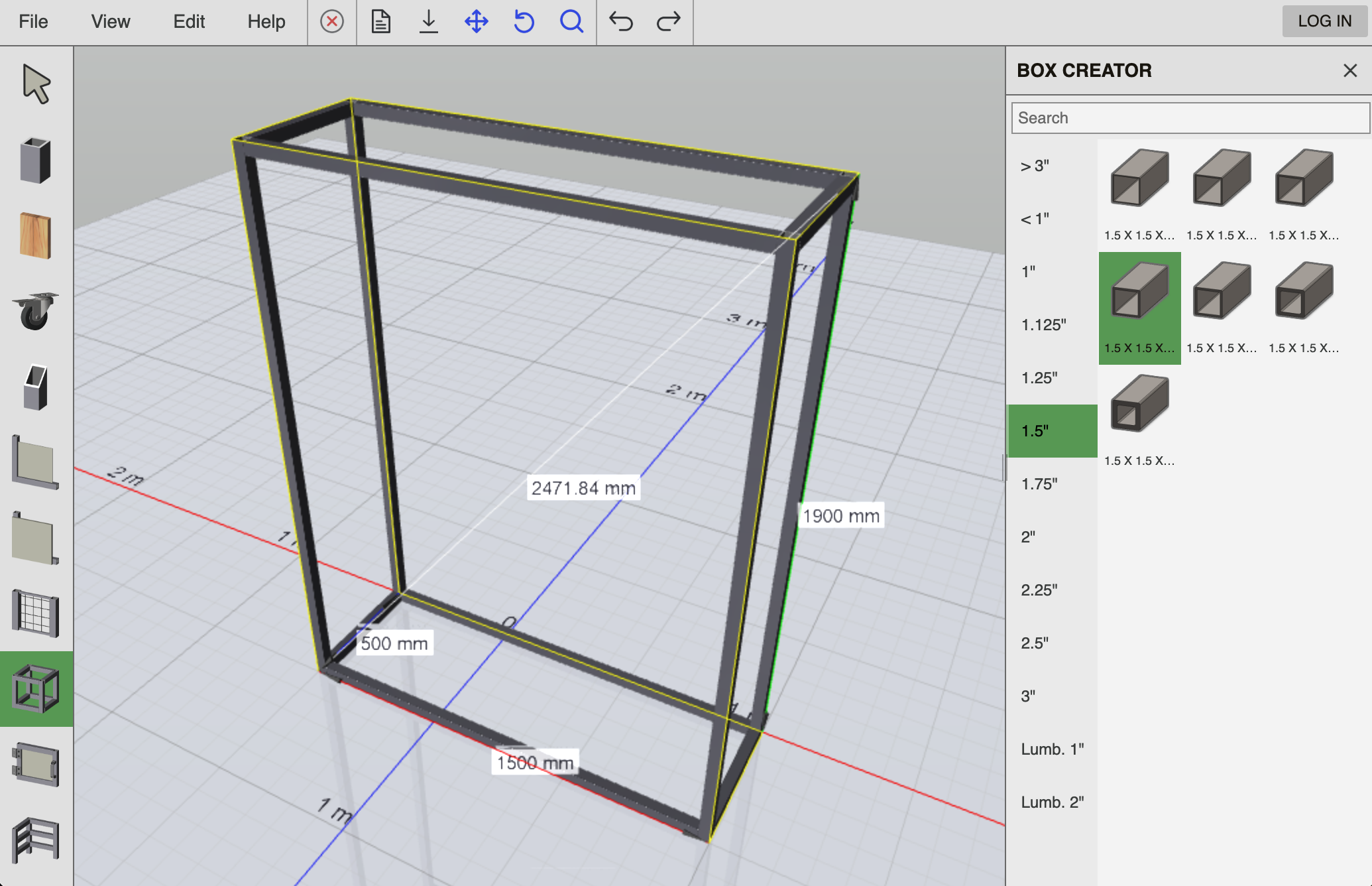
Web CAD UI placeholder
Design with an intuitive Web CAD interface featuring precise interactions and smart snapping. Start by using the BOX CREATOR tool to quickly define the overall size and structure of your build
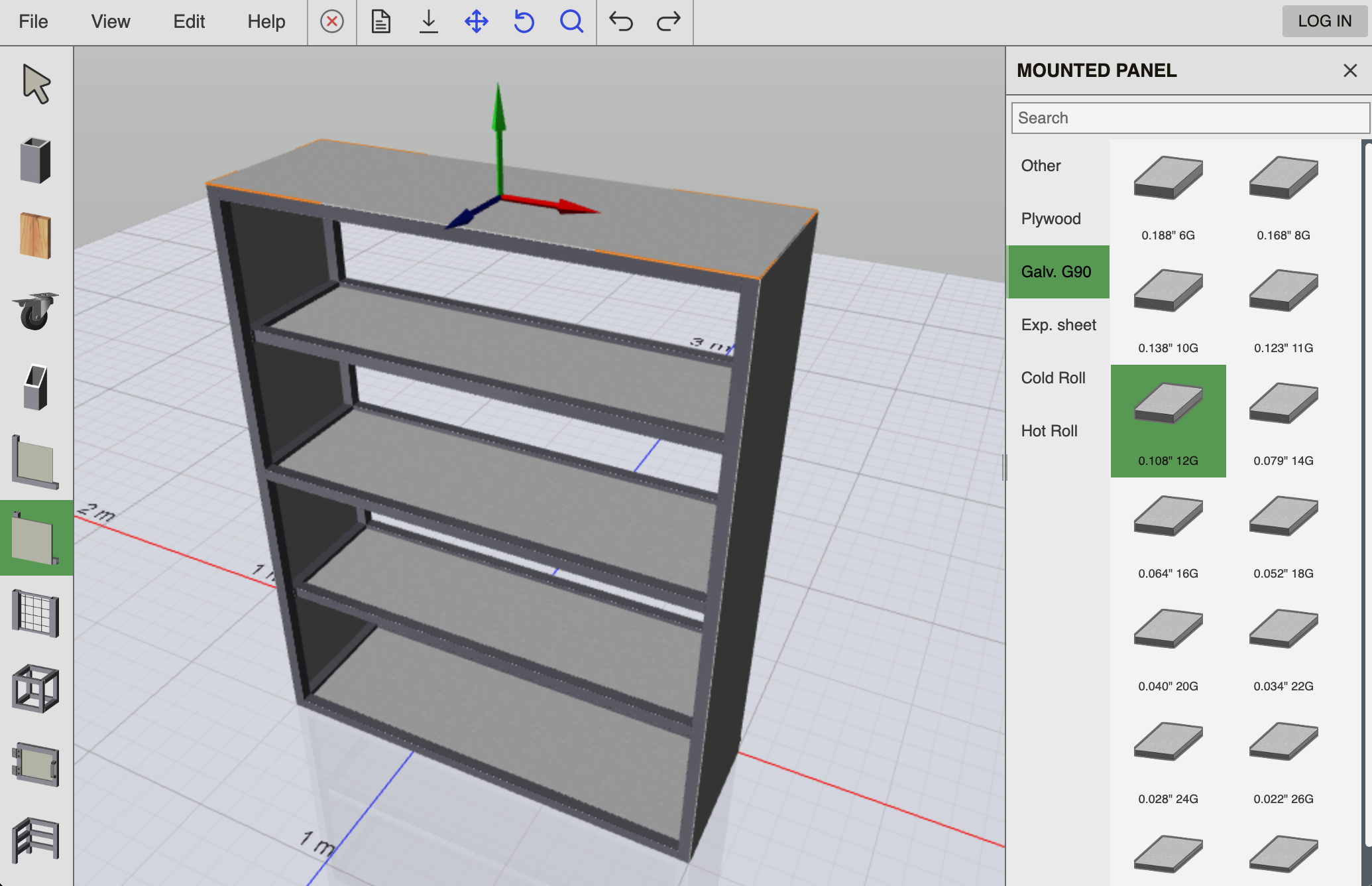
Configuration rules placeholder
Add shelves and structural elements with the EXTRUSION tool, then insert panels using INFILL PANELS for shelves and MOUNTED PANELS for walls, exactly where they’re needed
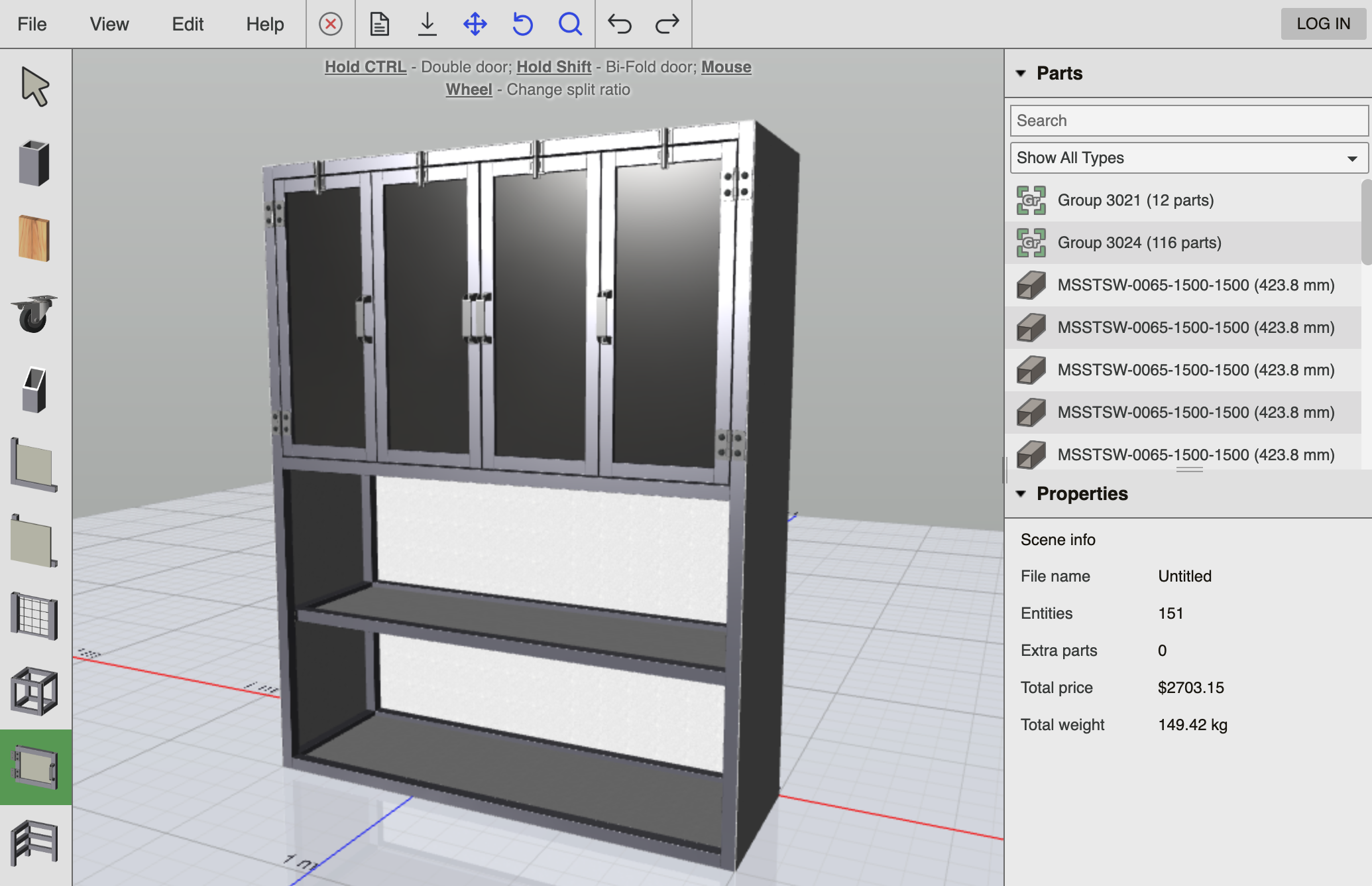
Exports placeholder
Create complex door assemblies using the DOOR CREATOR tool, with full control over layout and configuration
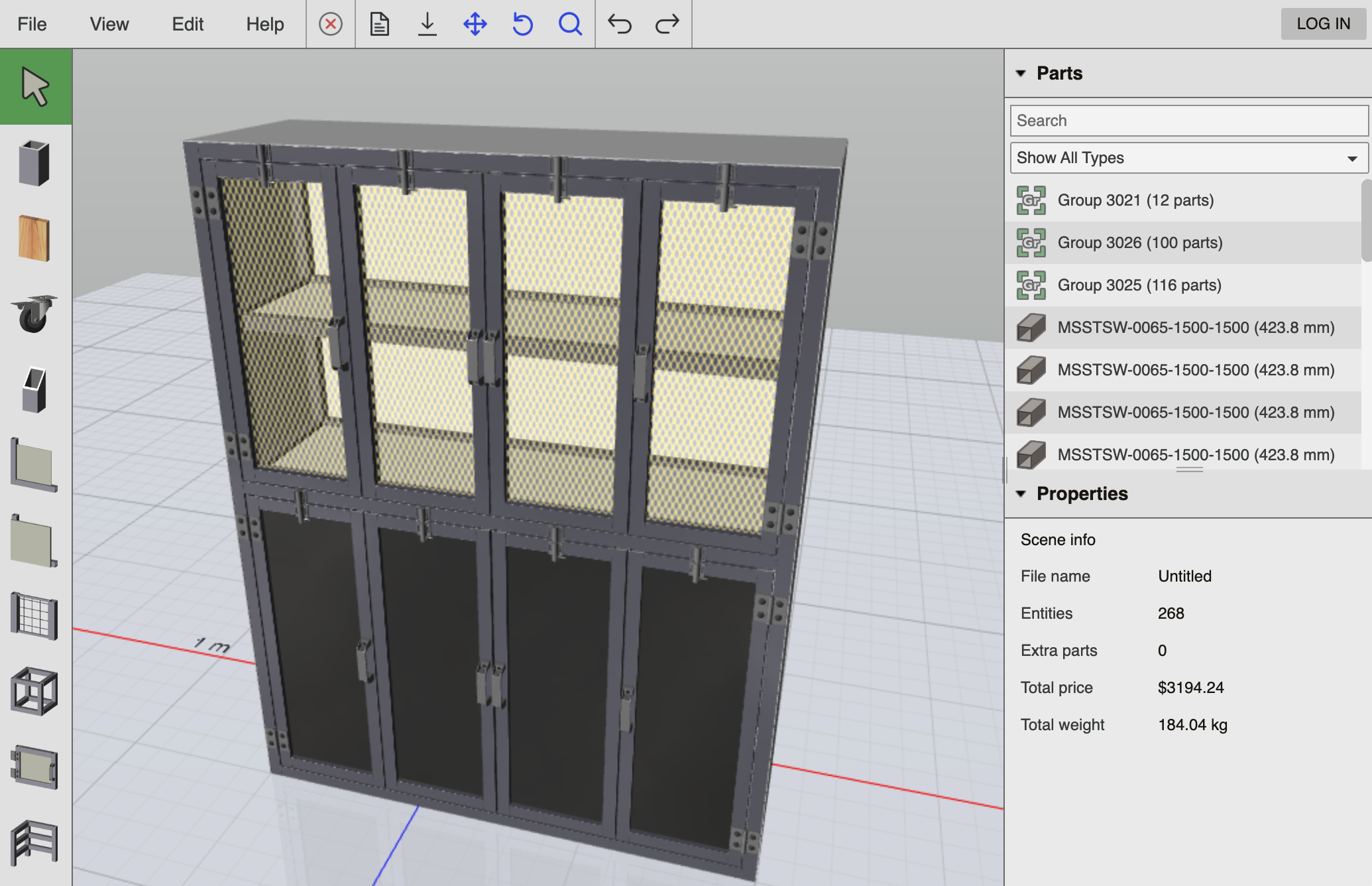
Hero mockup placeholder
Finalize the design by changing door panels to yellow expanded metal and adding an additional set of doors to the lower section of the cabinet. The design is now complete, fully defined and ready to order.

Capabilities

Everything needed to go from an idea to an orderable design

Web CAD UI

A modern CAD experience in the browser — designed for speed, usability, and long sessions. Great for interactive sales tools and self‑service design

Snapping • constraints • undo/redo

Configuration rules

Encode product logic and constraints to prevent invalid designs. Guide users with real‑time feedback and keep output consistent with what you can manufacture

Validation • presets • parametric options

Manufacturing outputs

Generate BOMs, cut lists, drawings, and 3D exports from every design. Keep labels, colors, and assemblies organized for downstream workflows

BOM • cut list • STEP/PDF/CSV

Integrations & automation

Connect to your quoting, ordering, ERP, or e‑commerce stack. Automate exports, approvals, and internal review steps — without slowing down customers

APIs • webhooks • custom workflows

Our Clients

Companies leveraging technology developed by WEBTOCAD

Contact us

Tell us what you build. We’ll suggest the best solution

Office building photo

Get in touch

We'll respond within 24 business hours
Address:
1000 Innovation Drive, Suite 500, Ottawa, Canada